You've spent hours tailoring your resume, writing a cover letter that actually sounds like you, and finally the recruiter calls. You land the interview. Then you lose the job because your dog barked for ninety seconds straight while you were trying to answer "Tell me about yourself," or your camera showed nothing but a bright window behind your head. I've seen this happen more times than I can count, and every time it's painful because it's entirely preventable. Remote interviews aren't harder than in-person ones they're just different, and most people don't prepare for the differences.
Why Remote Interview Preparation Is Its Own Skill
Phone and video interviews are not watered-down versions of the real thing. At many companies, they are the first filter and increasingly, for fully remote roles, the only format you'll ever do. A 2023 survey by LinkedIn found that over 80% of talent professionals said virtual interviews became a permanent part of their hiring process. That number isn't going back down. Knowing how to present yourself through a screen or a phone line is a standalone professional skill, not a courtesy.
Here's the thing: in-person interviews give you a lot of unconscious help. You walk into a room, shake hands, make eye contact, and the social choreography of the moment helps you relax and read the room. On a video call, you're staring at a grid of faces including your own, which most people find mildly distracting at best and deeply anxiety-inducing at worst. On a phone screen, you have no visual feedback at all. Learning to compensate for these missing signals takes deliberate practice, not just good intentions.
Setting Up Your Environment Before the Call
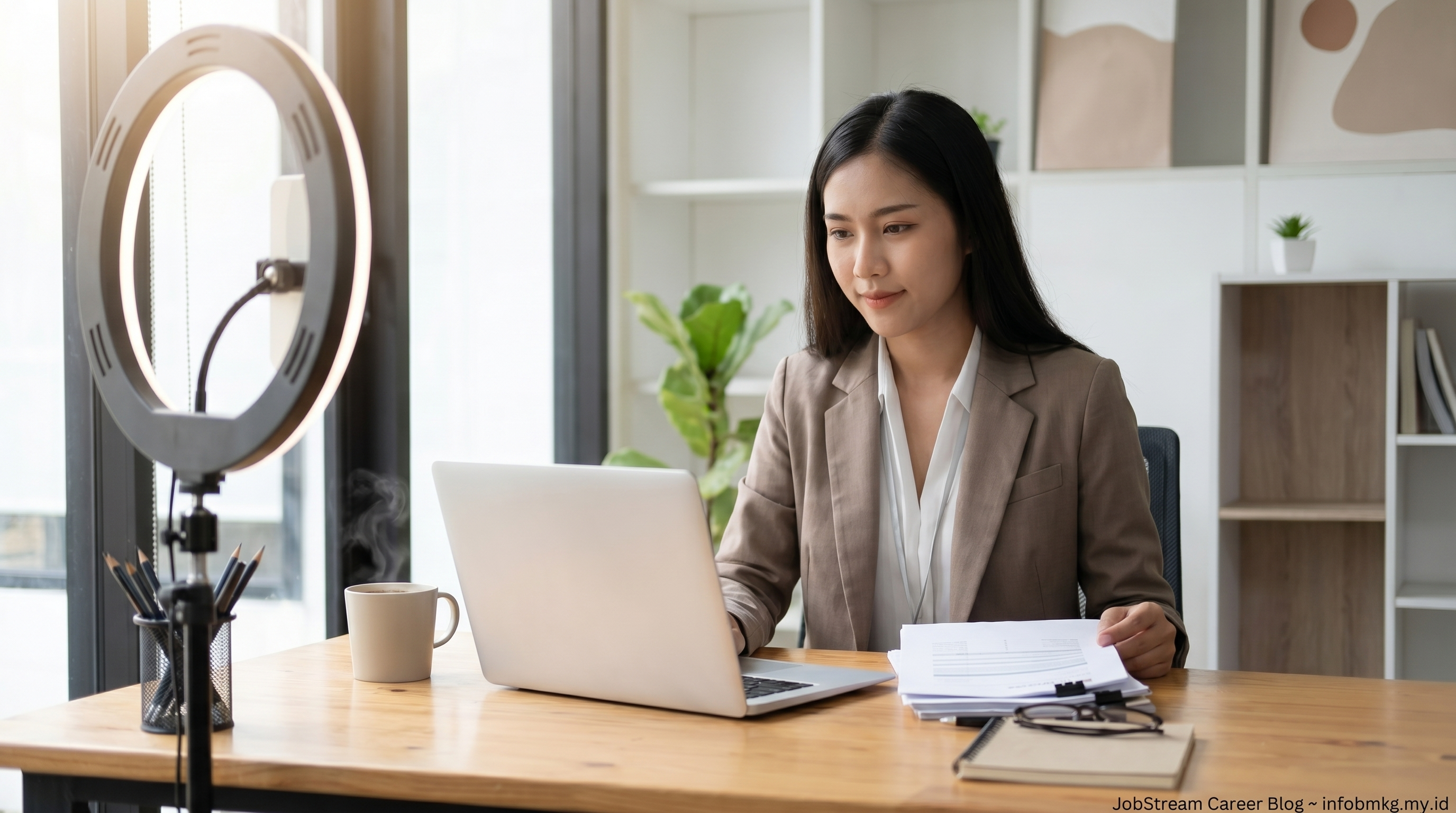
Your setup is a form of communication. Before you say a single word, the hiring manager is already forming impressions based on what they see and hear. A cluttered background doesn't necessarily scream "disorganized," but a clean, neutral space signals that you took this seriously. More practically, ensuring your background and lighting look professional doesn't require buying expensive equipment a ring light from Amazon for $30 and a cleared bookshelf behind you will beat a built-in virtual background nine times out of ten. Virtual backgrounds, unless you're using a very high-quality webcam with strong hardware segmentation, often glitch and make your head look like it's floating. That's distracting for everyone involved.
Lighting is the single biggest visual upgrade you can make. Natural light from a window is ideal, but it needs to be in front of you, not behind you. Backlit faces look like silhouettes. If your home office setup doesn't allow for front-facing natural light, one soft lamp placed behind your monitor pointing toward your face will do the job. The goal is to look like yourself, clearly lit, in a real space not like you're broadcasting from a ring of artificial fluorescence or a dark cave.
Sound Quality Matters More Than Most People Realize
Audio is arguably more important than video. Studies on communication quality in remote settings consistently show that poor audio causes more cognitive strain and negative perception than poor video. If someone sounds like they're calling from inside a dryer, you lose confidence in them before they've finished their first sentence. Use headphones with a built-in microphone if possible they pick up less ambient room noise than laptop mics. Find a room with soft surfaces (rugs, curtains, upholstered furniture) rather than hard floors and bare walls, which create echo.
Test a recording of yourself in your interview space before the actual call. Play it back. Is there a fan? A hum from an HVAC unit? Traffic noise that spikes every few minutes? Identify these things now, not two minutes before your interview.
The Logistics Checklist for Video Calls
- Camera at or slightly above eye level (stack books under your laptop if needed)
- Neutral or tidy background real preferred over virtual
- Primary light source in front of your face, not behind
- Wired internet connection when possible; if Wi-Fi, sit close to the router
- Headphones with a microphone to reduce echo and ambient noise
- Phone silenced and out of reach on the other side of the room, not face-down on the desk
- Browser tabs and notifications closed on your computer
- A glass of water nearby interviews dry out your throat faster than you'd think
The Tech Test: Do Not Skip This Step
I cannot stress this enough: technology failure during an interview is almost never a true surprise. It's a skipped preparation step. If your Zoom hasn't been updated in six months, it will update the morning of your interview right when you need to log in. If you've never tested your microphone on Microsoft Teams, you'll find out it's set to the wrong input device when the hiring panel is already waiting for you. Testing your tech the day before takes twenty minutes and prevents 90% of the technical disasters I've seen candidates face.
Most platforms Zoom, Teams, Google Meet have a "test meeting" or "test audio and video" option built in. Use it. Join from the exact device and location you'll be in during the real interview. Don't test from your office at work and then interview from your kitchen; the conditions aren't the same. Also have a backup plan ready: if video fails, can you switch to phone? Have the interviewer's number saved. Know the dial-in option for whatever platform you're using. Telling someone calmly, "I'm going to switch to phone audio give me thirty seconds," is recoverable. Sitting there frozen while they stare at a spinning connection wheel is not.
The candidates who impress me most under technical difficulties are the ones who handle them without panic. Composure in a system failure tells a hiring manager exactly how you'll handle a crisis at work. Have a backup plan, state it calmly, and move on.
Phone Interview Etiquette: What Changes When There's No Camera
Phone screens are still widely used for first-round filtering, especially in high-volume hiring environments. Without a camera, you lose all visual feedback and so does the interviewer. This changes the dynamics in ways that catch candidates off guard.
Silence reads differently on the phone. In person, a five-second pause to think looks thoughtful. On the phone, it sounds like the call dropped. It helps to verbalize your thinking briefly: "That's a good question let me think through that for a second." That's not weakness; it's communication. It also prevents the interviewer from jumping in and interrupting your thought process because they thought you'd finished.
Speaking Pace and Vocal Energy
On a phone call, your voice is your entire presence. Pace, tone, and energy carry everything. Most people speak slightly faster when they're nervous, and phone anxiety tends to run high. Deliberately slow down by about 15-20% from your natural conversational speed. Articulate more clearly than you think you need to. Smile while you talk it actually changes your vocal quality, and experienced interviewers can hear it. This isn't a trick; it's just physiology.